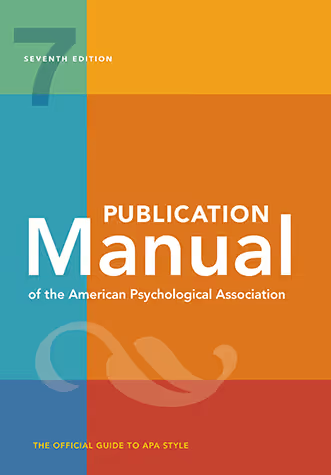
PERRLA & APA 7: Correct formatting from the start.

PERRLA is the only APA 7 software that formats every part of your paper from the very beginning.
APA 7th Ed.
Updated & accurate
References
Create every, single, type
Citations
In-text creation & updates
Full paper formatting

Support for the latest APA 7th Edition

PERRLA handles all of the APA 7 formatting for you – from paper setup to citations
Magic dust icon
Accurate references & citations

Our one-of-a-kind, human-built reference engine supports every source type and variation in the APA 7th Edition style. Unlike every othere reference generator, we built our own reference engine from scratch to ensure its full accuracy.

Paper document icon
Perfect layout & margins

We're more than just references: PERRLA builds a fully styled paper for you – paper sections, headings, styles...everything you need.

Laptop icon
Works everywhere you do

Use PERRLA in Microsoft Word (desktop & web), in PERRLA Online, Google Docs, and with our Google Chrome extension – take PERRLA wherever you write.

Microsoft Word Icon
Turn in polished Word docs

Wherever you write, PERRLA generates a perfectly formatted Word document that’s ready to turn in. Create Research Papers (student and professional papers), Discussion Posts, Reference Lists, and Annotated Bibliographies with confidence.
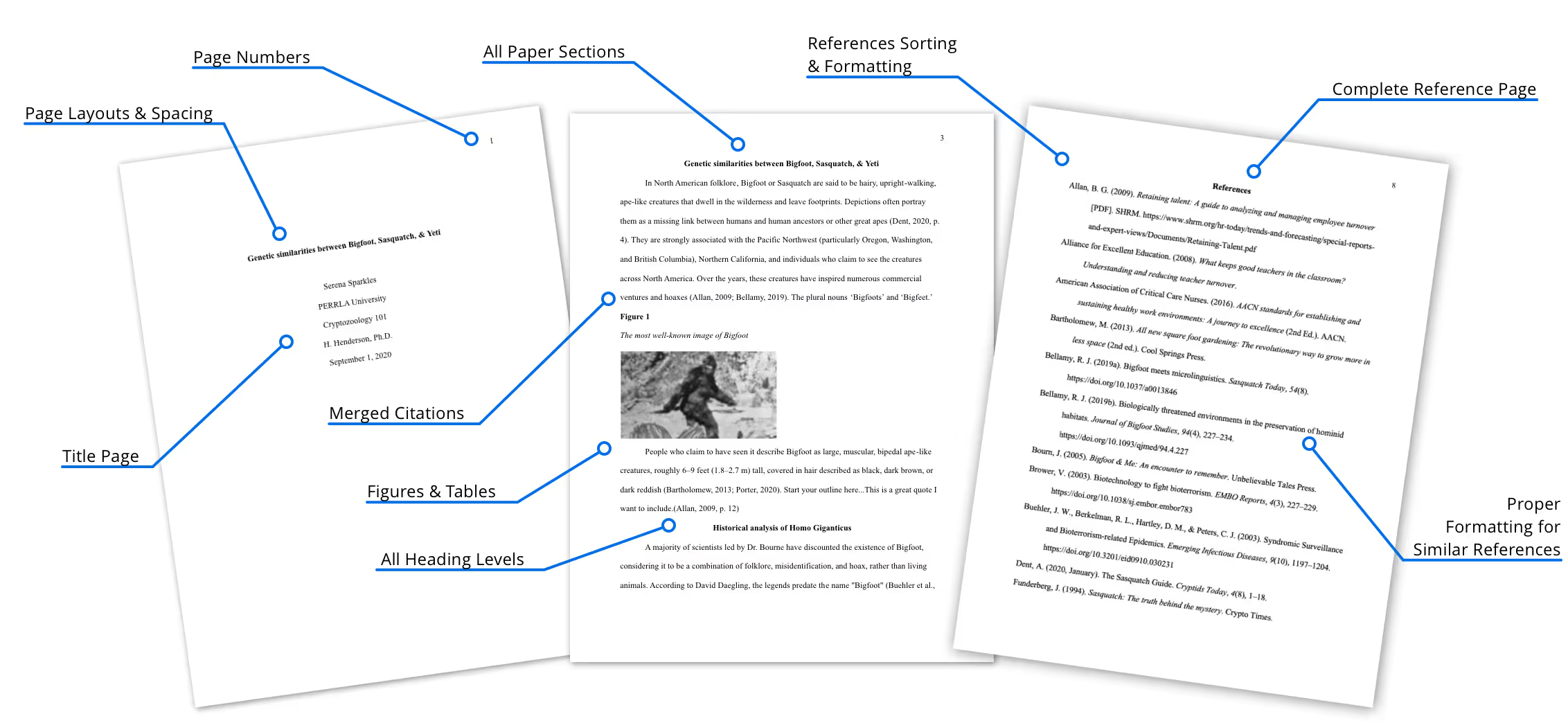
PERRLA handles all the formatting

From start to finish – you get perfect papers every time
Image of a research paper with pointers to all the elements formatted by PERRLA
Image of using PERRLA in Microsoft Word

What is the APA format?

What & why APA matters to students & teachers
The APA format is a set of rules that helps students and researchers write papers that are easy to read, easy to grade, and easy to verify. The APA format covers two big things – how a paper looks on the page & how sources are credited in the writing.In other words, APA is not just “formatting.” It is a system for making academic writing clear and trustworthy.
Professors are not (just) asking for APA to be picky. They want papers that are consistent and credible.

APA helps readers do three important things:

1. Follow the argument without getting distracted by random formatting choices
2. Find the sources behind a claim
3. Check evidence quickly (especially when quoting or using data)

That is also why citations matter – they show where ideas came from and allow readers to verify the research.
Image of using PERRLA in Microsoft Word

What changed in APA 7 for students?

Style updates, paper layout changes, & clearer digital guidance
PERRLA was the first company to successfully incorporate APA 7 into its software in 2020 (less than six months after it's release). We're still the only APA software that formats every part of your paper for the APA 7th edition (from title page, to citations, to the references page & even appendices).
Some of the concrete changes in the APA 7th Edition supported by PERRLA include:
  1. Student papers do not include a running head (just the page number)
  2. Book references no longer include the publisher location
  3. In-text citations with multiple authors was simplified with the use of et al.
  4. References follow their original publication format (even if accessed digitally)
  5. References were re-structured for more consistent rules across types
  6. Digital works were updated to include modern web-pages & social media
When using PERRLA, you don't have to worry about any of these changes. We handle it all for you while you write! Don't believe us? Try it out yourself for free.
Image of using PERRLA in Microsoft Word

How can academic citation tools simplify APA formatting?

Academic citation tools can significantly streamline the process of formatting papers in APA style. These tools automate many of the tedious aspects of reference creation, citation management, and paper styling – allowing students to focus on content rather than formatting.
PERRLA does exactly that! We specialize in academic writing tools that simplify APA formatting & writing. Key features include a human-built reference engine that ensures accurate citations, automatic formatting capabilities that save time, and integration with popular writing tools. These features make PERRLA an invaluable resource for students and professionals aiming for APA 7th Edition compliance.
Using citation tools like PERRLA can enhance academic writing efficiency by reducing formatting errors and supporting citation management. These tools allow writers to maintain focus on their research and arguments, rather than getting bogged down by the intricacies of citation rules. As a result, writers can produce higher-quality work in less time, ultimately improving their academic performance.

It's about more than just proper citations

You'll benefit throughout the writing process with PERRLA
Icon of a person's head thinking
Avoid costly citation mistakes

PERRLA creates, formats, and keeps your references up to date as you write. PERRLA's proprietary Reference Engine is unique & built directly from the APA 7th Edition Manual. We don't rely on inaccurate, free engines

Icon of a stopwatch
Finish your paper faster

PERRLA starts you with a correctly formatted document so you can skip the tedious setup.

Laptop icon
Works everywhere you do

Use PERRLA in Microsoft Word (desktop & web), in PERRLA Online, in Google Docs, and with our Google Chrome extension – take PERRLA wherever you write. Google Docs coming soon!

Icon of Microsoft Word logo
Submit your papers with confidence

Wherever you write, PERRLA generates a perfectly formatted Word document that’s ready to turn in. Create Research Papers, Discussion Posts, Reference Lists & Annotated Bibliographies with confidence.

Frequently Asked Questions

Some of the common questions we get about APA from students

What does APA stand for?

APA stands for American Psychological Association – it's the organization that publishes the APA style manual. The APA can also be used to refer to the APA 7th Edition formatting style.

Is APA only for psychology?

Not at all! The APA format is common across psychology and the social sciences, and many instructors use it for student papers in other fields. There are even a number of colleges and institutions that require the APA format to be used across all of their departments.

When should I include a citation &does it have to include a page number?

You should include a citation any time you use or refer to work, ideas, or information you learned from someone else. Citations are how you give credit to the sources where your evidence came from. It's also a great way to show that you've done your research & have the evidence to back up your argument.

Page numbers are included for direct quotes and for cases where a reader needs a specific location in the source. If your work is long and doesn't include page numbers (like a webpage), you may consider adding Section or Paragraph as a location.

What is the fasted way to avoid APA mistakes?

The fastest (and most reliable) way to avoid APA mistakes is to use formatting software like PERRLA to handle all of the formatting for you (paper layout, sections, headings, references, and citations). PERRLA's experts made sure that all of the APA 7 formatting guidelines are followed (exactly) so you can get the best grade possible on your next paper!

Questions? Let's chat – real humans here

Image of students gathered around a desk

PERRLA for your institution

Ready for your students to turn in better papers? Check out our Partners page to learn how PERRLA can help your institution's students succeed.
Image of student typing at a laptop

Talk to support

Email us for a fast, clear response. Check out our Help Center for articles, tutorials, and videos on using PERRLA.
Email PERRLA Support