

Finals season is officially here. If your paper count is climbing and your reference list is growing faster than your confidence, we’ve got you covered.
This week: a look at what’s new in PERRLA’s Reference Module (currently in Beta), and a new reference type for citing AI tools properly.
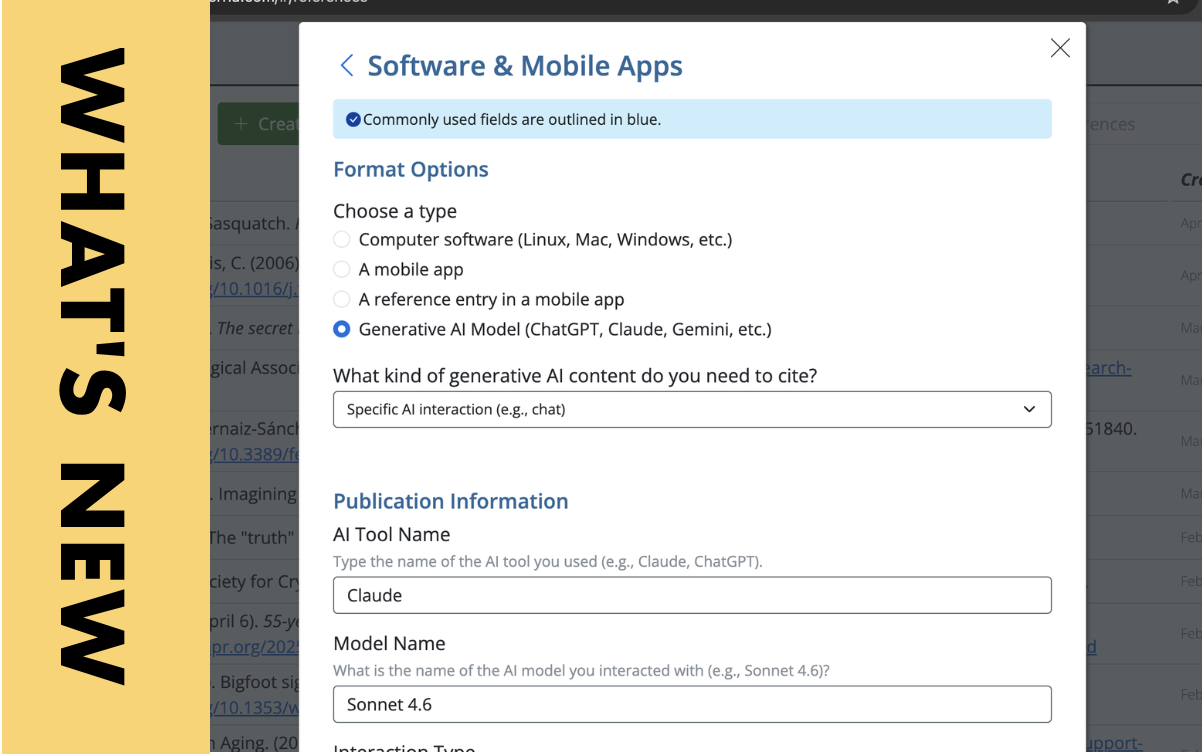
Cite AI with PERRLA
If you’ve used ChatGPT, Claude, Gemini, or any other AI tool while working on a paper – even just to brainstorm or get feedback on a sentence – the APA format requires you to cite it. That’s true whether you used it a little or a lot, and whether your instructor required disclosure or not. The rules are clear, but the formatting can get tricky fast.
PERRLA makes it simple. We’ve added AI tools as a supported reference type inside PERRLA’s reference engine, so you can create a properly formatted AI citation in the same place you build every other reference. Select Software & Mobile Apps, fill in the fields, and PERRLA handles the rest – author, date, bracketed descriptor, URL, and all.
You can learn more about citing AI in papers here in our Help Center.
Better, easier references
We’ve been quietly building something new inside PERRLA Online, and it’s now available in Beta: a redesigned References panel. Instead of opening a reference and losing your place in the list, references now open in a side panel – so you can flip between them, edit details, and stay organized without constantly navigating back and forth. It’s a small change that makes a big difference when you’re working with a lot of sources.
The new panel also brings something we’ve heard students ask about for a while: file uploads. You can now attach PDFs, Word documents, spreadsheets, and images directly to your references inside PERRLA. If you upload a PDF, you can even view it right in your browser without leaving your paper. Current limits are 1 GB of total storage per account and 10 MB per individual file – we’ll be revisiting those limits as the feature moves out of Beta before the fall semester.
To try it now, head to your App Settings in PERRLA Online and enable Beta Features. Once it’s on, you’ll see the new References panel the next time you open your references.